

When to use it?
Got lots of visitors on your product pages, thanks to Google Shopping ads? Traditional methods like discounts or sign-up offers convert them into buyers, but might not be the most effective way regarding your margings. Here's where the Smart Recommender steps in:
More than just discounts: Not all customers are looking for a discount. The Smart Recommender keeps them interested with something more personal than just price cuts.
Inspire, don't push: Show customers how your products make their life better with a personalized headline, instead of just pushing for a quick sale or sign-up.
Tailored suggestions: Automatically suggest products that fit what each visitor is looking for, based on their browsing behavior and preferences.
How does it work?
The Smart Recommender tailors your popup's content entirely to match user interests and past behavior. This customization includes
- an AI-powered recommendation engine,
- an AI-powered headline based on visitor context, and
- an AI-powered subheadline.
By personalizing each elements, you can truly maximize conversion rates.


How to set it up?
Step 0: Sign up for your OptiMonk AI free trial
The Smart Recommender uses AI to match your customers with products they'll love. To access this feature, you need OptiMonk AI.
Here’s how to get OptiMonk AI:
- Book a quick demo call with our team.
- Meet with the team to help you get set up.
- Your free trial starts as soon as you launch your first campaign.
Book your OptiMonk AI demo here —>
Here’s what the rest of te setup process looks like, but remember, we’ll assist you with all of this as part of your OptiMonk AI free trial.
Step 1: Generating the AI recommender
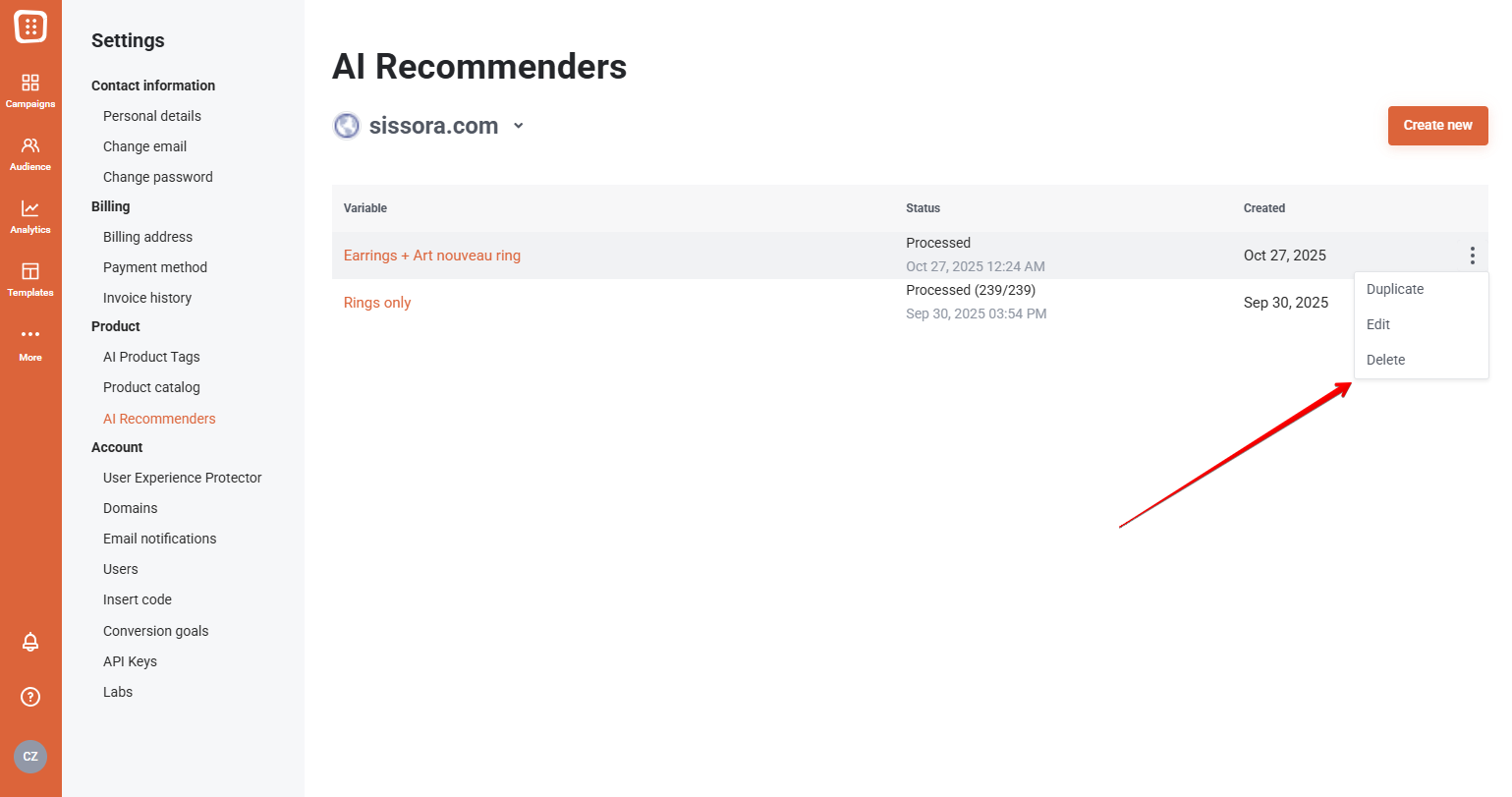
Set up the AI to suggest products tailored to your goals by selecting categories or specific items and excluding any you don’t want shown. Once saved, the recommender is processed automatically and ready for your campaigns.
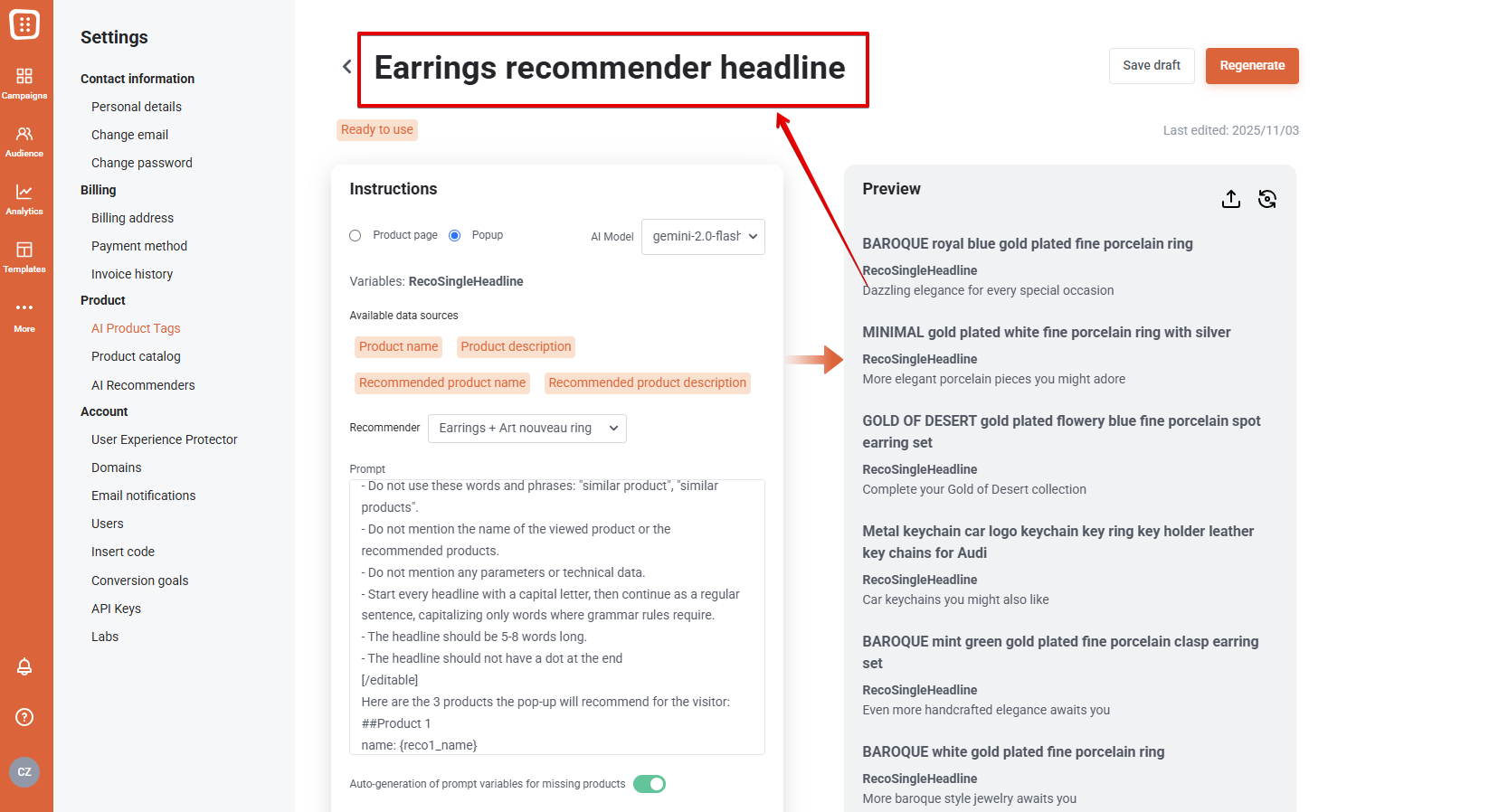
Step 2: Generating the AI variables
Create AI-powered headlines and copy for your product recommendations. Select a template, customize the language, tone, and length, and choose which products or categories the AI should use.
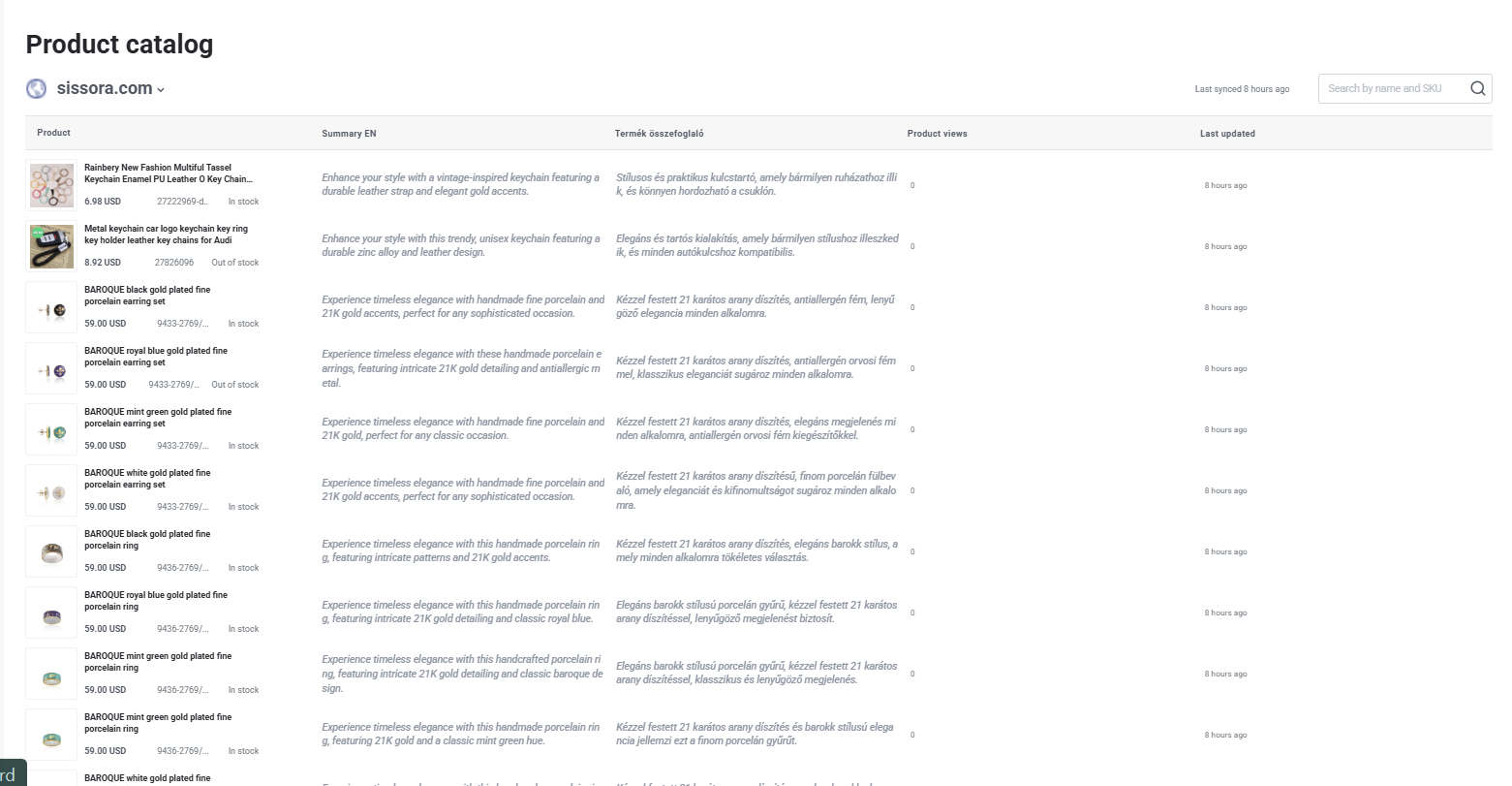
Step 3: Reviewing the AI variables
Review and manage AI-generated product copy and recommendations in the Product Catalog. Edit individual products or entire AI tags as needed to ensure your messaging and suggestions are ready for your campaign.
Step 4: Choose a product recommender campaign and customise it to your brand
Select either a standard product recommendation template or another template of your choice, customize it to your preferences, and then incorporate the innovative elements.
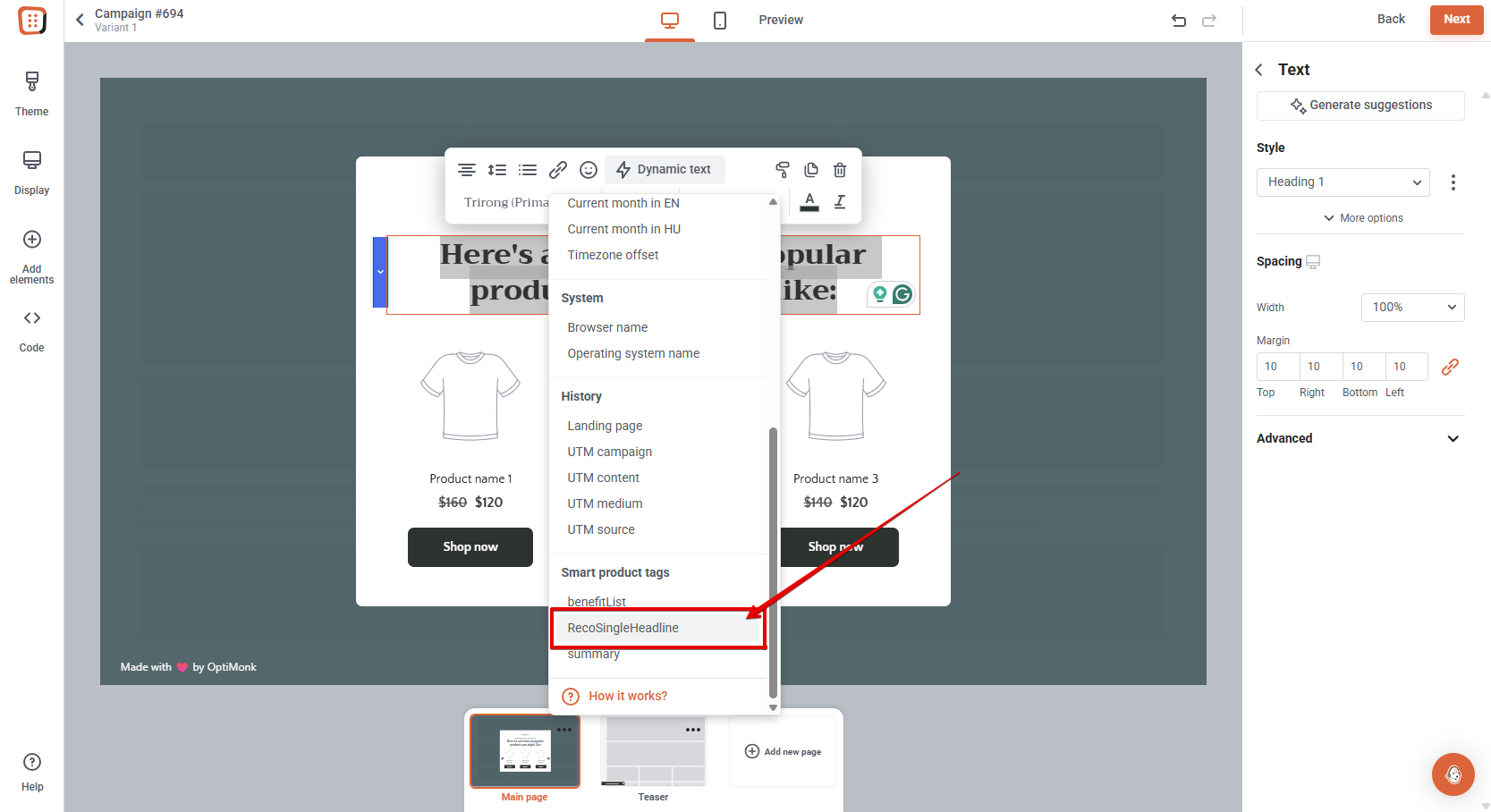
Step 5: Insert smart elements
AI-personalized, interest-based headlines and sub-headlines can effortlessly be incorporated into any popup using Smart Tags. Just choose the type of Smart element you want to add. In this example, we've used both a main headline and a personalized headline for each visitor based on their behavior.
For the product element, choose the desired recommendation mode.
The basic AI recommender displays products personalized for each customer based on their interests and past behavior.

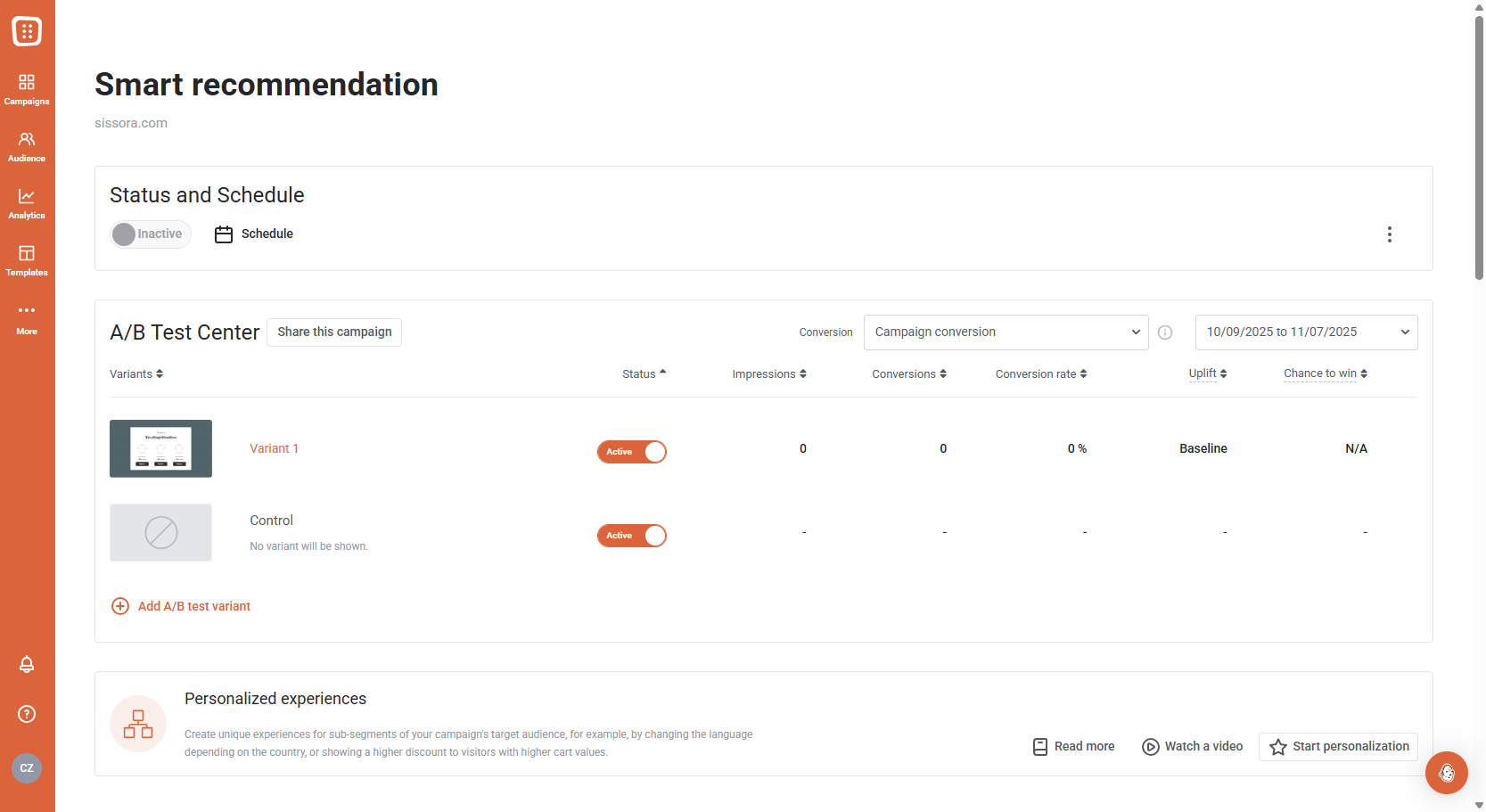
Step 6: Add a Control Variant
Once you've finalized your popup, add a Control variant alongside your AI-powered solution. This will allow for an accurate comparison of results. Additionally, if you're interested, you can add further variants as well.
Step 7: Launch your campaign & watch your results grow
Once our AI generates the new elements for you, watch the magic unfold as your automated product recommendation campaign kicks off. Effortlessly track the growth of your conversions while you enjoy the fruits of automated success. Sit back, relax, and let the numbers speak for themselves.
Curious about more AI solutions?
Learn how AI can revolutionize your visitor experience with personalized interactions and higher conversion rates, all while significantly reducing manual labor.